
School Bell System
A free Windows program that plays your school bell sounds automatically, at the exact times you schedule - every period, every day of the week.
Download Free on GitHubWindows may show a SmartScreen warning on first run - click More info → Run anyway to proceed.
Set the Schedule Once.
The Bell Rings Itself.
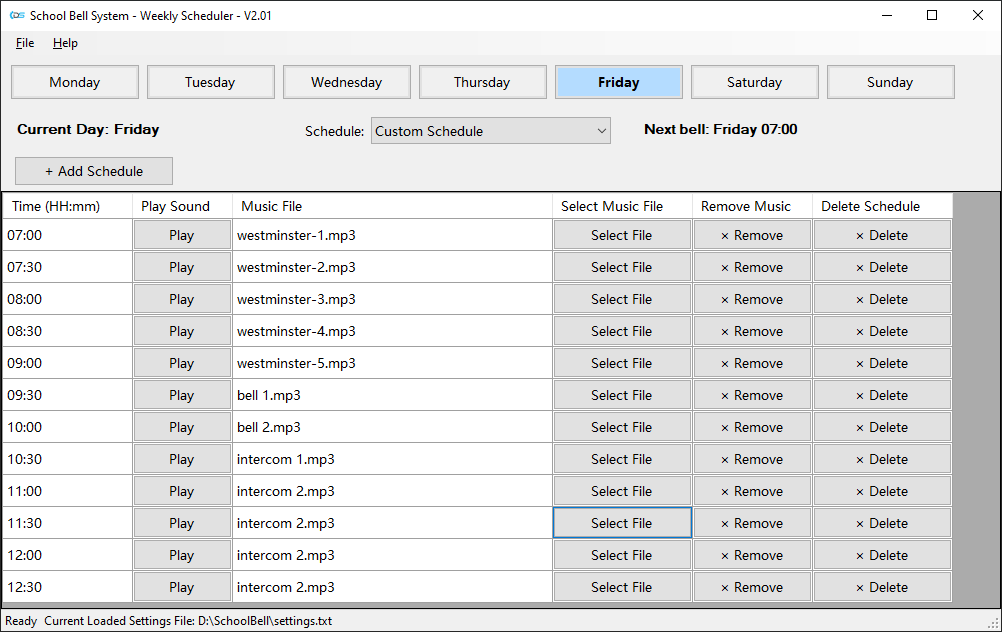
School Bell System runs on any Windows PC or laptop. Set up your weekly bell schedule - different times for each day if needed - assign a sound to each slot, and leave the program running. It checks the time every second and plays the right sound automatically, with no further input from anyone.
Use the 11 sounds included, or load your own MP3 or WAV files. Schedules are saved to a plain text file you can back up or share between computers.
Three Steps.
Then You're Done.
Install on a PC or Laptop
Download and install on any Windows machine that stays in the school office or staff room.
Set Your Schedule
Add time slots for each day of the week and assign a bell sound to each. Save. Done.
Connect to the School Audio System
Plug the computer’s audio output into your school’s PA or speaker system. Leave the program running - it handles the rest.